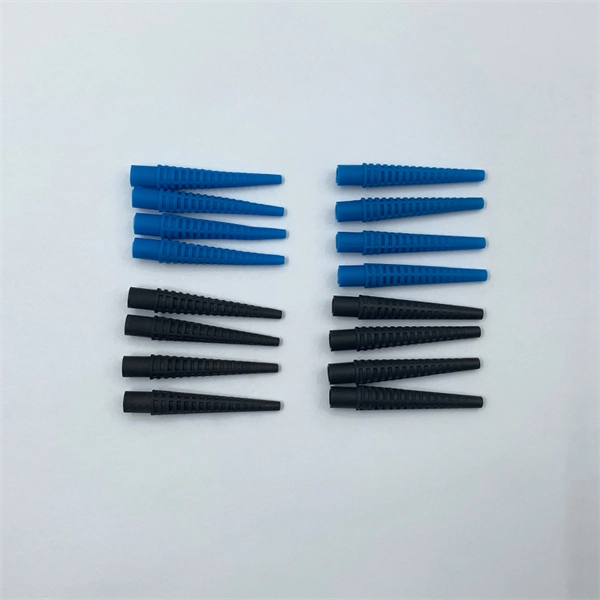
Installing fiber optic cable in conduit protects the cable, ensures longevity, and facilitates future upgrades while minimizing physical and environmental damage.Purpose of Conduit
Conduit serves as a protective pathway for fiber optic cables, shielding them from moisture, rodents, physical stress, and accidental damage from construction or digging . It also simplifies maintenance and allows for future cable replacement or upgrades without re-excavating the route . Using conduit is especially important for underground or exposed outdoor installations, where environmental and mechanical risks are higher .
Conduit Materials and Selection
Common conduit materials include:
- HDPE (High-Density Polyethylene): Flexible, durable, ideal for underground runs and long continuous sections, often used with innerduct .
- PVC (Schedule 40 or 80): Rigid, corrosion-resistant, suitable for exposed areas or under heavy loads; Schedule 80 has thicker walls for road crossings or under buildings .
- Rigid Galvanized Steel (RGS): Used in industrial or fire-rated areas; more expensive and harder to install . Innerducts are smaller tubes placed inside larger conduits to separate fiber runs, reduce friction, and allow multiple cables in a single conduit .
Installation Best Practices
- Conduit Preparation: Clear debris, burrs, and moisture using a foam plug or sponge. Seal exposed ends with caps to prevent dirt or water ingress .
- Pulling Fiber: Use a pre-installed pull string or tape. Attach the fiber cable to the pull string via the cable's strength members (e.g., Aramid yarn), never the outer jacket or glass fibers. Use a swivel pulling eye to prevent twisting .
- Bend Radius and Pull Tension: Maintain the cable's minimum bend radius (typically 10 times the cable diameter for conduit bends) and avoid sharp 90-degree turns. Use long-radius sweeps or factory pre-bent elbows. Limit pull lengths to 300–500 feet per section, reducing for multiple bends .
- Lubrication: Apply fiber-rated lubricant at the conduit entrance and at pull points to reduce friction and prevent damage .
- Pull Points and Drainage: Install pull boxes or handholes at direction changes exceeding 90 degrees and at intervals of 150 meters. Slope conduit runs to drain water and install drain plugs at low points to prevent standing water .
Handling and Coiling
When coiling fiber for installation, use a figure-eight pattern for lengths over 100 ft to prevent torsion and stress. Avoid automated coiling machines for loose tube or armored cables, as they may exceed tension and bend limits .
Future-Proofing
A properly sized conduit can accommodate multiple cables or next-generation fiber, allowing upgrades without disturbing the surrounding environment . Innerducts further facilitate future expansions and protect individual fiber runs.
Summary
Installing fiber optic cable in conduit is essential for protection, reliability, and maintainability. Key considerations include selecting the right conduit material, maintaining bend radius and pull tension limits, using innerducts, applying lubrication, and planning pull points and drainage. Following these best practices ensures a durable, high-performance fiber network that can be upgraded or repaired efficiently.